Article · Amiga DevBench (amiga_mcp)
Amiga DevBench: a modern dev loop, and an AI pair programmer, for the Amiga
How I connected a Mac to emulated and real Amigas over a serial link, built a source-level debugger and 129 MCP tools on top of it, and let Claude Code write, deploy, and debug Amiga software.

Developing for the Amiga in 2026 is a strange mix of joy and friction. The machine is still wonderful: a pre-emptive multitasking OS in 512 KB of ROM, a custom chipset you can drive directly, and a community that has kept it alive for forty years. But the development experience has not kept up. There is no source-level debugger running on the target, no network stack on a stock machine, and one bad pointer takes the whole operating system down with it.
I wanted the opposite: write C on my Mac, press one button, and have the program built, copied onto the Amiga, started, and streaming its logs back to me. I also wanted an AI assistant to be able to do all of that on its own, so I could say "this game crashes after a few seconds, find out why" and watch it work. That is what Amiga DevBench does. I started it on 8 March 2026; it is now about 175 commits, runs against classic 68k AmigaOS and AmigaOS 4.1 on PowerPC, and exposes 129 tools to Claude Code through MCP.
The shape of it
There are two halves, joined by a byte stream.
On the Amiga side sits amiga-bridge, a small C daemon. It opens serial.device (or, on a
machine with a TCP/IP stack, a socket) and owns it exclusively. It creates a public Exec
message port called AMIGABRIDGE, and then sits in a Wait() loop on three signals: serial
I/O, IPC messages from client programs, and its own status window. Programs that want to
take part link a tiny static library, libbridge.a, and call ab_init("my_app"). From then
on they can log with AB_I("frame %ld", (long)n), expose variables with ab_register_var,
publish named memory regions, and register hooks: functions the host can call into the
running program. Client programs never touch the serial port themselves; everything goes
through PutMsg/GetMsg to the daemon, which routes it to the host.
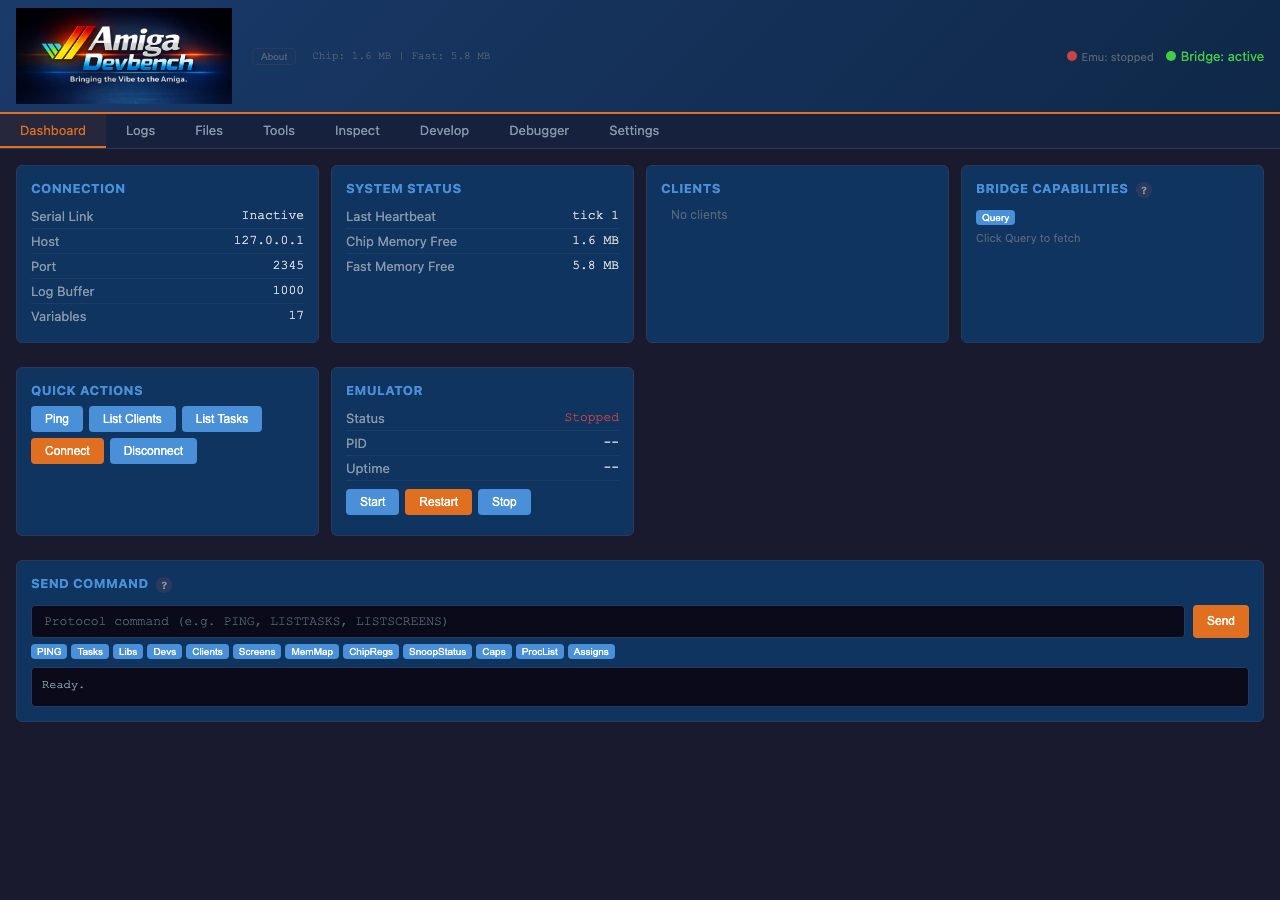
On the Mac sits amiga-devbench, a Python server (Uvicorn and Starlette, with FastMCP for
the MCP side). It speaks the bridge protocol over a pseudo-terminal that FS-UAE opens as its
serial port, or over TCP to a real Amiga or an emulator on the network, and it presents
everything three ways: a web UI with a live event stream, a REST API with more than 80
endpoints, and the MCP server Claude Code talks to.
The protocol between them is deliberately boring: one line per message, pipe-separated fields, at most 1024 characters.
PING                          → PONG|2|1649344|6459000
GETVAR|bouncing_ball|speed    → CVAR|bouncing_ball|speed|i32|10
CLOG|bouncing_ball|I|1567|Frame 100
Text over a serial line is slow by modern standards, but it is debuggable with a terminal, trivially portable between 68k and PowerPC, and it never needed changing when I added AmigaOS 4 support later.
A session with Claude
The loop the tools are designed around is: write, build, deploy, run, observe, fix. Each
step is a tool. amiga_build cross-compiles inside a persistent Docker container (rebuilds
take a second or two), amiga_deploy copies the binary to the Amiga and checks it with a
CRC32, amiga_launch starts it, and amiga_watch_logs streams its output. For the common
case, amiga_build_deploy_run does all of it in one call.
Here is the kind of exchange that made me believe the whole thing was worth it:
Me:  My bouncing_ball app crashes after a few seconds.

amiga_build_deploy_run("bouncing_ball")
  → build OK, deploy OK, running
amiga_watch_logs(duration_ms=30000)
  → "Frame 100" ... then silence
amiga_last_crash()
  → alert 80000004 (access fault)
    PC 0040A2B8, A0=DEADBEEF
amiga_load_symbols("bouncing_ball")
amiga_lookup_symbol("0040A2B8")
  → bouncing_ball.c:142, draw_ball()

[reads the source, fixes an uninitialised
 pointer, rebuilds]

amiga_build_deploy_run("bouncing_ball")
  → running, no crash
The assistant does not need to see the screen to make progress, but it can:
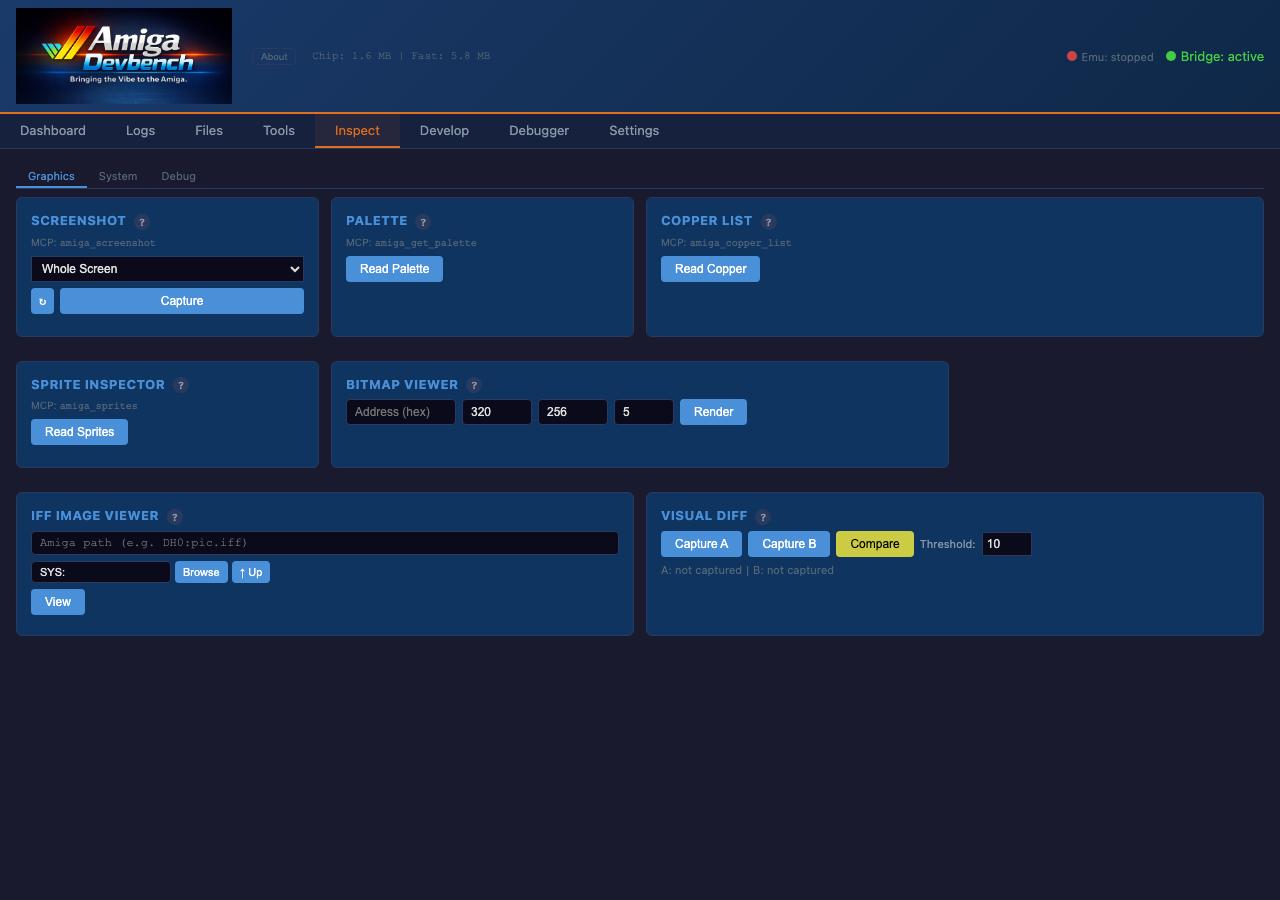
amiga_screenshot grabs the display, and there are tools to list screens and windows,
inject keypresses and mouse clicks, read the palette and the copper list, and even run
ARexx. When a program needs tuning, amiga_set_var changes a registered variable while
the program runs, which is a lovely way to tweak a game’s physics without a rebuild.
Two debuggers, because one is never enough
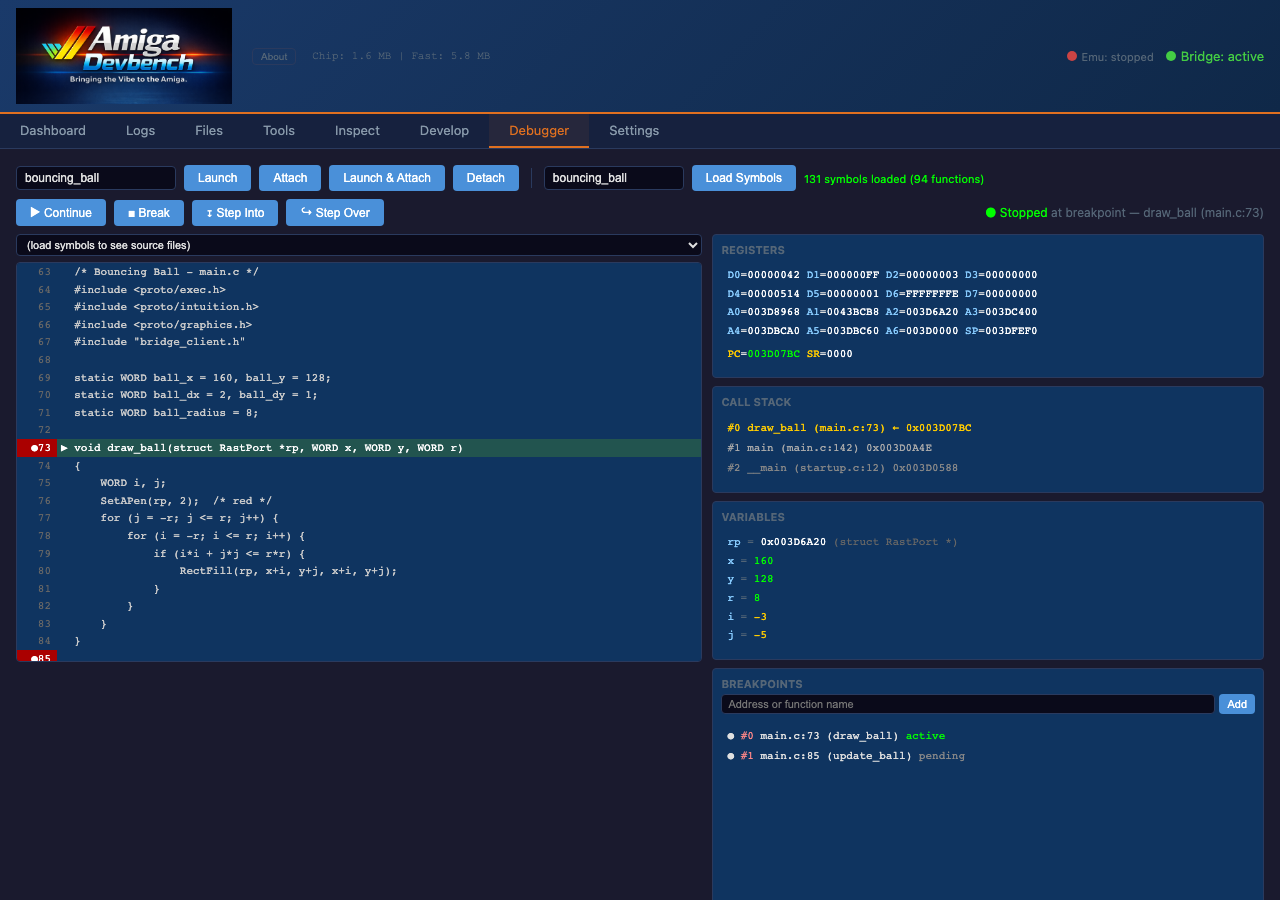
The bridge gives you a source-level debugger. Load the symbols, set a breakpoint on a
function or a line, launch and attach, and you can step into and over code, walk the call
stack, and read locals. There is also a GDB remote-serial-protocol server on port 2159, so
m68k-amigaos-gdb or an IDE can attach the same way.
But a debugger that lives inside the Amiga dies with the Amiga. When the OS hangs, or before
it has booted, the bridge is gone. So I also maintain a patched FS-UAE build that exposes the
emulator’s debugger over HTTP. That one pauses the 68000 itself: it can set hardware-style
watchpoints ("who keeps writing $DFF180?"), read Kickstart ROM and the CIA registers,
single-step from the reset vector, and save and restore whole machine snapshots. It has no
idea about source lines, but it sees everything. In practice I use them together: a watchpoint
in the emulator finds where something goes wrong, and the bridge debugger lets me step
through the C around it.
The interesting problems
Most of the work was not the happy path. A few of the things the Amiga taught me along the way:
-
A 4 KB default stack. Every large buffer in the daemon is
static. Allocating a 1 KB line buffer on the stack in a function that calls another function is enough to walk off the end and corrupt something unrelated. -
printflies about integers. Inamiga.lib,%dreads a 16-bit word, so passing a 32-bitintshifts every following argument. The rule in the codebase (and in the instructions Claude reads) is%ldwith an explicit(long)cast, always. -
Reading memory is not always reading memory. Under FS-UAE,
CopyMemreturned zeros for some regions, so the memory inspector reads byte by byte through avolatilepointer. And the custom chip registers at$DFF000are word-only: a byte read can corrupt them, so the inspector refuses to touch that range. -
Never let the OS ask a question. When the host launches a program, the daemon checks the path with
Lock()first and setspr_WindowPtrto −1, so a missing volume produces an error message instead of a requester that waits forever for a click nobody will make. -
No allocation on the hot path. The client library keeps a pool of four pre-allocated messages, and each client gets fixed slots: 32 variables, 16 hooks, and 8 memory regions.

AmigaOS 4 on PowerPC
Eleven days after the first commit I started on AmigaOS 4.1, running on QEMU’s emulation of
the Sam460ex board, and it has been the other half of the project ever since. The architecture held up: the serial protocol, the Python host, and the MCP
tools did not change at all. The bridge needed a PowerPC build (with GCC 11 from the
walkero Docker images), a TCP transport over bsdsocket.library, and a PowerPC port of the
debugger and crash handler. The emulator needed rather more coaxing:
-
QEMU’s old
-net nic,model=rtl8139shorthand silently creates no network card on the Sam460ex machine. The working form is-netdev user,…,hostfwd=…plus-device rtl8139, which I finally wrote down in a reference config after re-deriving it more than once. -
There is no chip RAM on a Sam460ex, so nothing can poke the custom chips; graphics go through
graphics.library. There is also no 3D driver for QEMU’s display, so the OS4 ports of my games use a software Mesa (OSMesa 7.8.2) build. -
Deploying means writing files straight into the raw hard-disk image with
amitoolswhile the OS has it mounted, which is genuinely dangerous: both sides cache the filesystem. The deploy script refuses if QEMU is running unless you insist. -
And one bug I am still slightly in awe of: on the QEMU guest, a newlib
memcpyof more than about 300 KB can leave its last 256 KB uncopied. Big buffers are now copied with a loop.
What it has produced
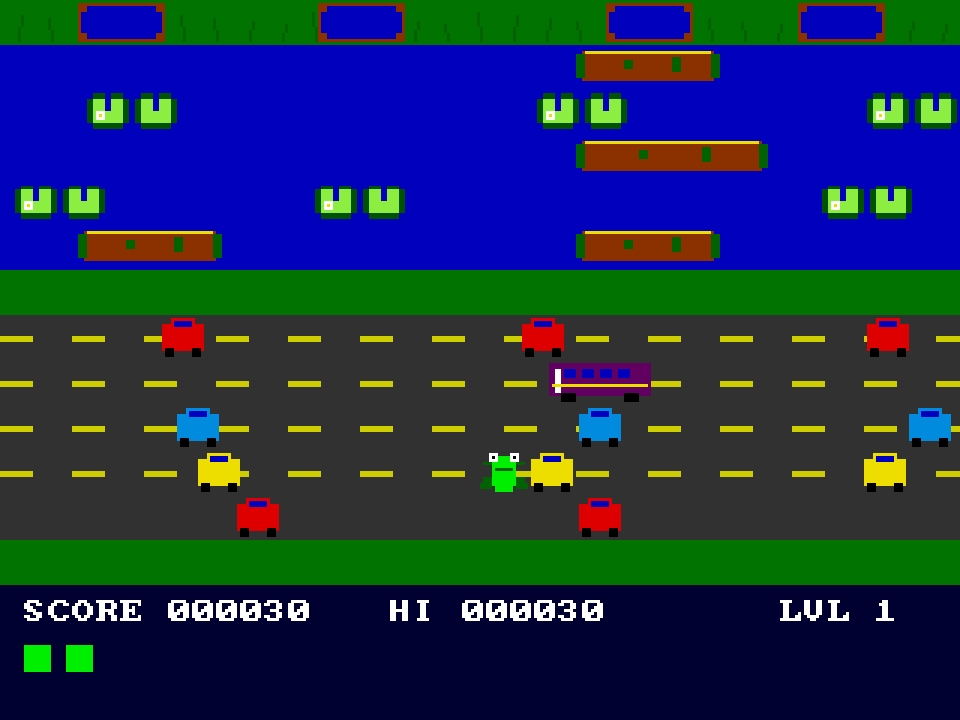
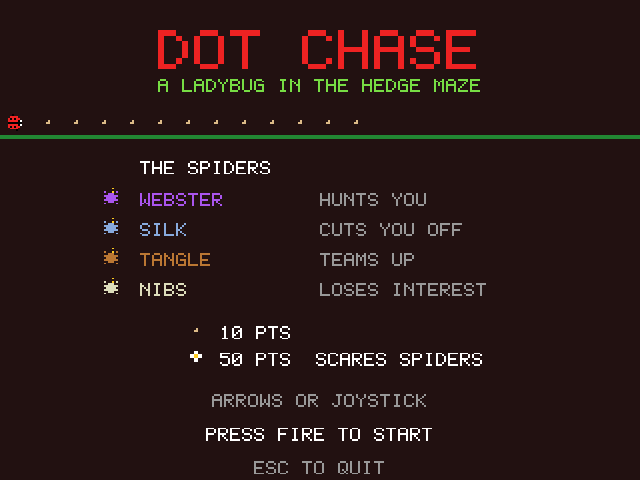
The best measure of a development environment is what people make with it. The companion repository, amiga_games, now holds about fifty programs written with DevBench, most of them with Claude doing the typing: arcade games, demos, a HAM raster test, an ARexx test, a disk benchmark, and ports of three of my 3DO games. A few of them were put together in an afternoon.
There are smaller pieces too. The host can proxy an Amiga terminal program to a language
model, streaming tokens back into a window on the Amiga, which means you can chat with an
LLM from Workbench. And the whole environment is now three commands to set up:
scripts/setup.sh, scripts/doctor.sh (which checks every prerequisite and tells you how to
fix each one), and scripts/start.sh. The commercial parts, the Kickstart ROM and the
AmigaOS installs, still have to come from you.
What’s next
The backlog in the repository has two big themes. The first is more examples: a list of clean-room games inspired by 8- and 16-bit classics (a Jetpac-style collect-and-launch shooter, an isometric room adventure in the Knight Lore mould, a Sentinel-like solid-3D landscape, a Lemmings-style puzzler, a Nebulus tower climber), each starting with a research phase on gameplay, graphics, and sound before any code lands, and each reproducing mechanics rather than anyone’s assets. The second is reach: the same bridge-and-MCP approach for the Atari 8-bit, with an emulator the tools can drive. The point of all of it is the line I put in the README: to make the Amiga community productive with AI. Forty years on, the machine deserves a modern toolchain.
If you have an Amiga, real or emulated, the repository has the installer, and the project page collects everything I write about it.