Article
gitwebsite is now open source
The engine behind this site — a Rust static-site generator with a CLI, REST API, MCP server, and desktop app — is now on GitHub under the MIT licence.
gitwebsite is the tool that builds and publishes this site. Until today the engine and my site’s content lived in one private repository. I’ve split them: the engine is now public at github.com/geekychris/gitwebsite under the MIT licence, and my own site’s source stays in a separate private repository.
What’s in it
-
A static-site engine in Rust. Content is AsciiDoc with a short header (type, date, areas, tags, summary). Items sit in a tree of areas you define, so one post can belong to several.
-
gw, a command-line tool, for creating, checking, building, previewing, and publishing. -
A REST API and a desktop app (Tauri) with a management UI and a live preview. The app has a 🎤 button beside every text box for macOS dictation.
-
An MCP server, so an AI assistant can work with the site through the same operations — plus a set of Claude Code skills for writing, curating, adding media, and publishing.
-
A registry, ideas list, and media library: where each piece of work came from, what to write next, and images (including SmugMug-hosted photos).
-
Publishing to GitHub Pages, leaving other folders in the Pages repository alone.
Writing with Claude
Two workflows use the MCP server and the app together:
-
Project stories. You drop in photos, choose the ones that matter with a comment each, and tell the story roughly; Claude interviews you a few questions at a time and drafts the post. The questions appear in the app, so you can answer there.
-
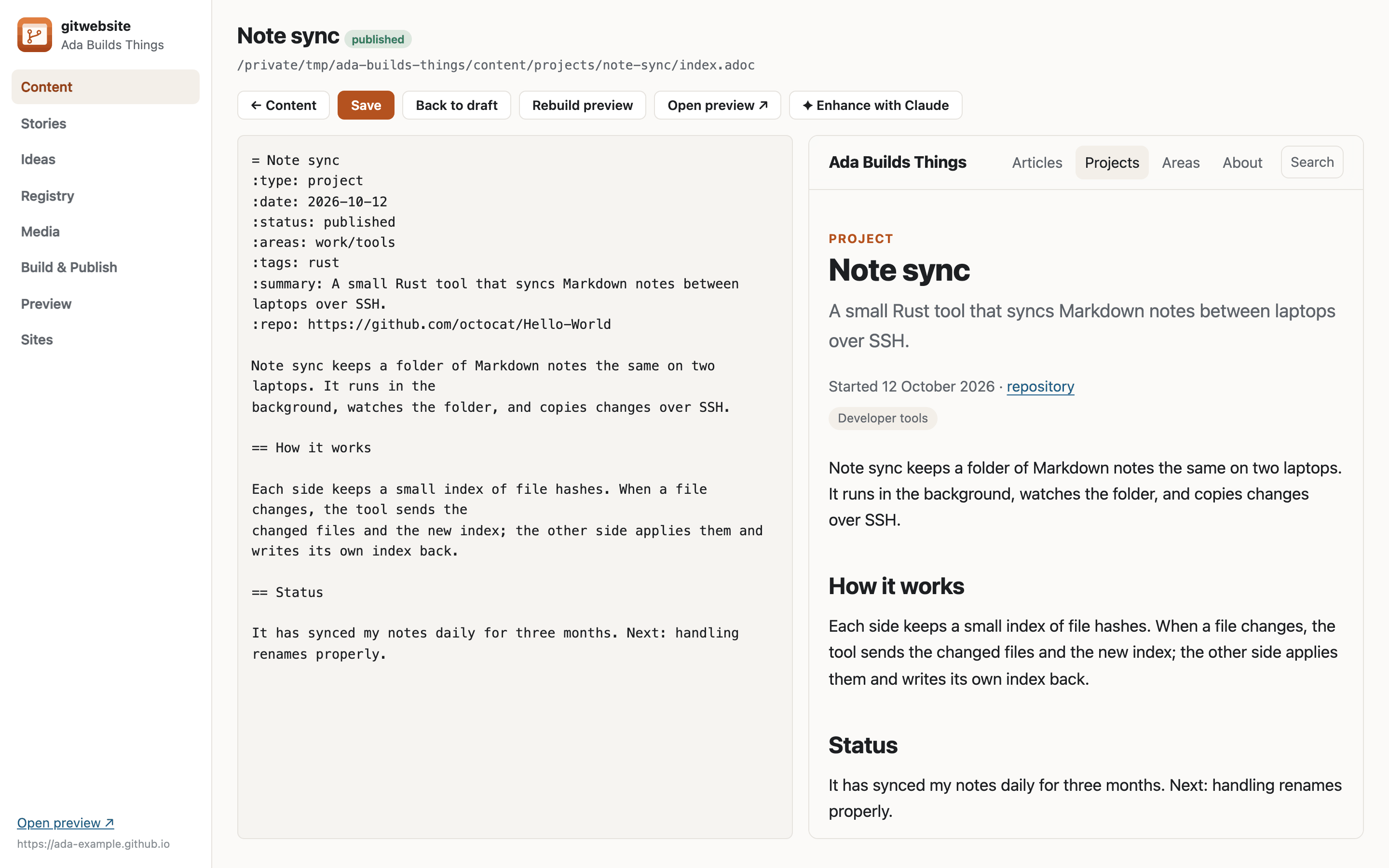
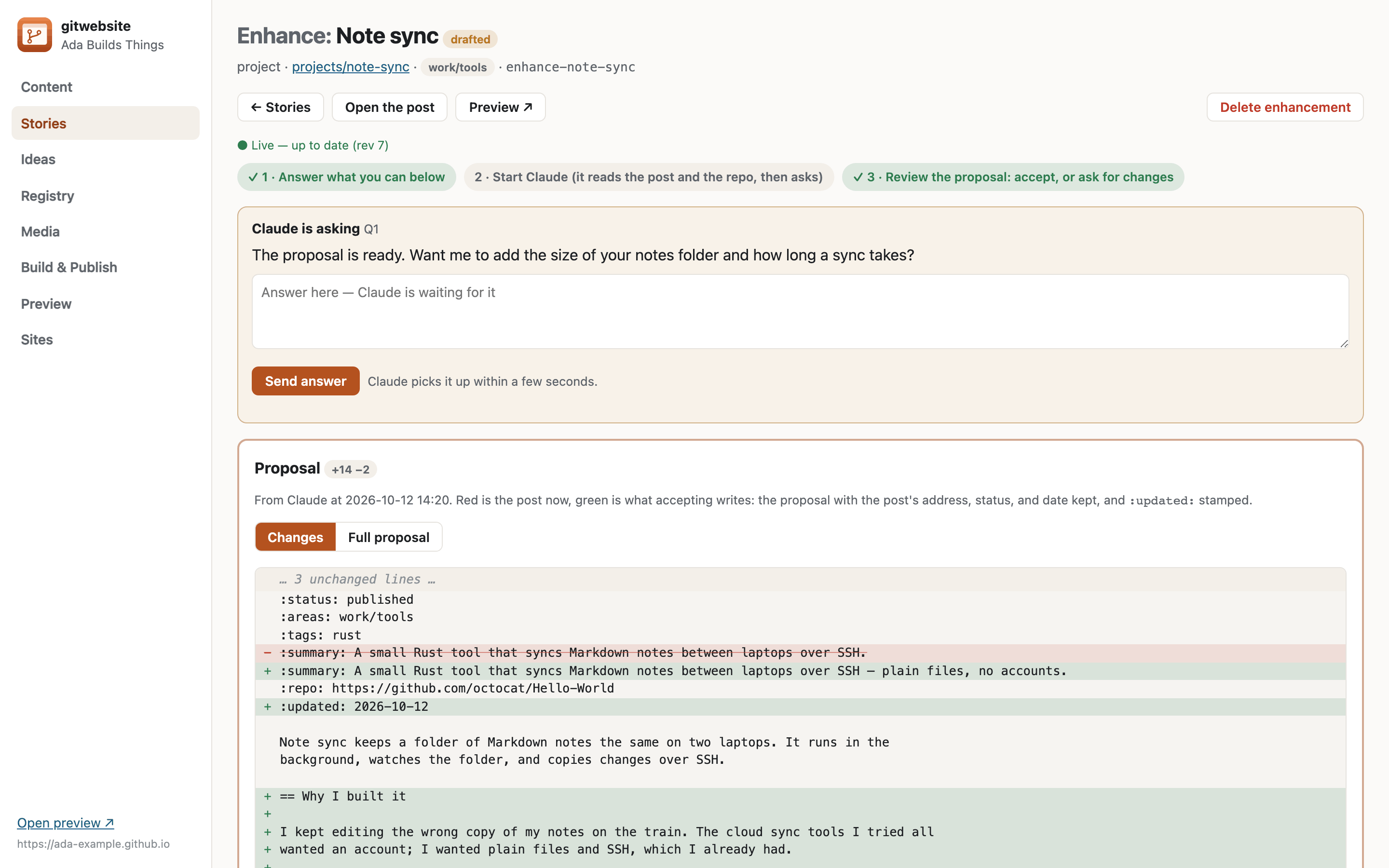
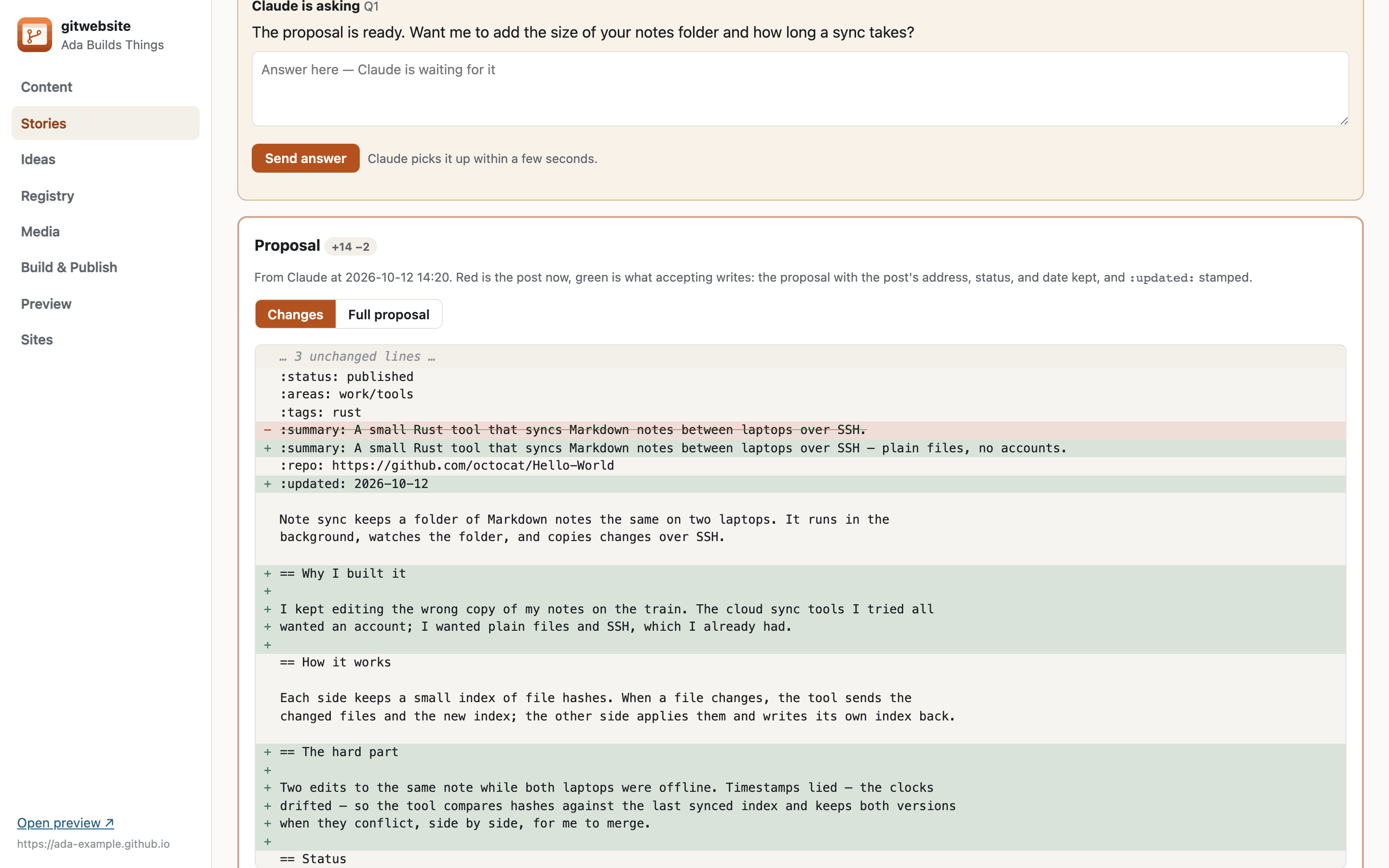
Enhance with Claude. Open an existing article or project and press Enhance with Claude. You answer whichever key questions you like — the inspiration, why it exists, the hard parts, what’s next — and Claude reads the post and the code repository behind it, asks follow-ups, and writes a proposed revision. The app shows it as a diff against the current post; you accept it, ask for changes, or discard it. Nothing is published until you publish.
Using it for your own site
gw init creates a new site with a default theme and starter content, ready to check, build,
and publish. A settings file keeps a list of sites, so the app can switch between several. The
repository’s README covers building from source, setting up GitHub Pages, and installing the app
and the Claude Code skills.
Some things here are specific to my site and aren’t part of the engine — the
browser tools, for example, live in my site’s own repository. The projects page
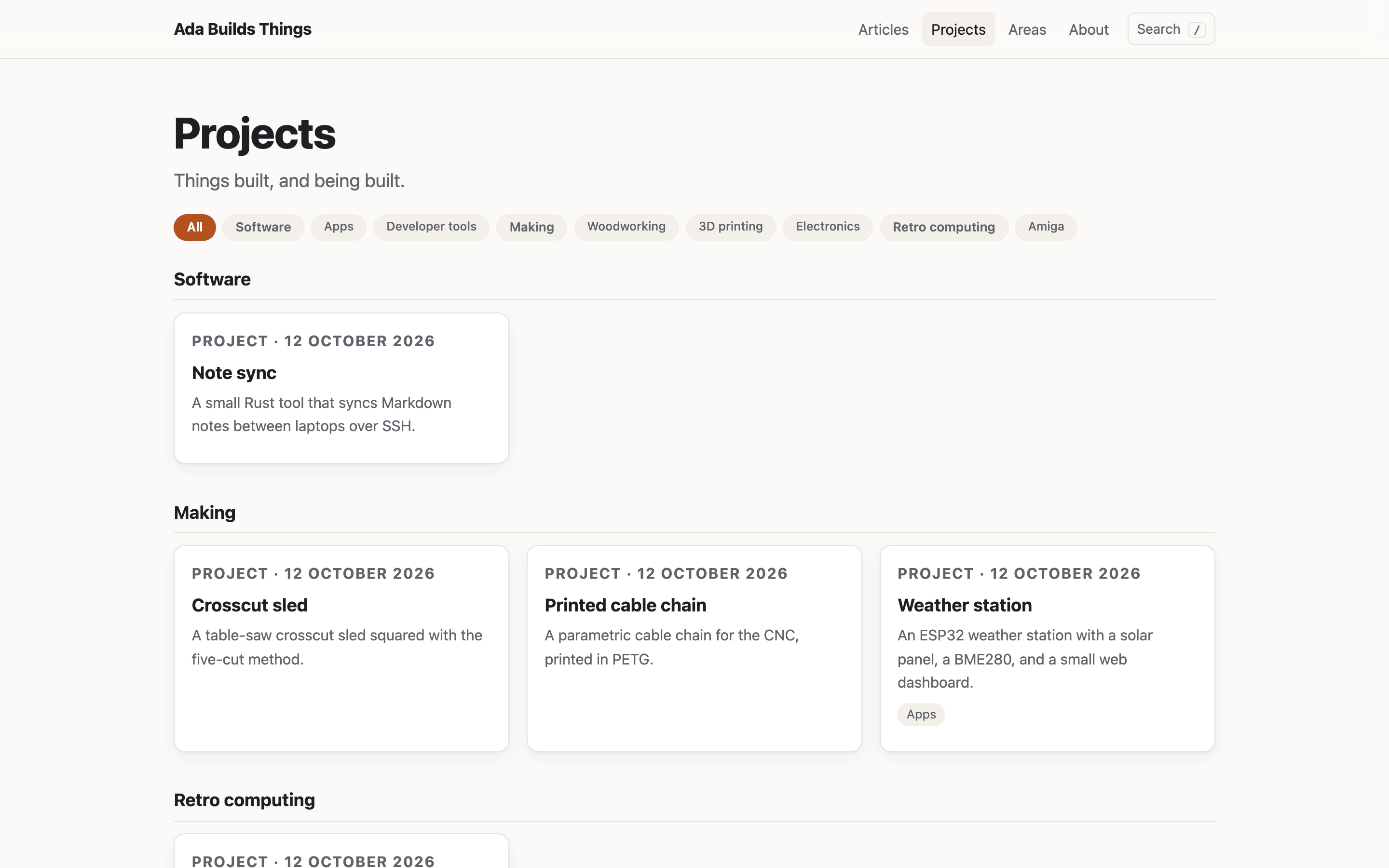
grouped by area (Software, Retro computing, …) is an engine feature you can configure in
site.yaml.