Article · 3do-dev: a modern 3DO dev kit
Writing 3DO games in 2026: a 1993 console, a 1990s compiler, and a debuggable emulator
How I built a modern dev kit for the 3DO Interactive Multiplayer — Norcroft ARM C in Docker, a patched Opera emulator with a GDB server and a JSON control port, and an MCP server — and used it to ship a demo and 21 games.
The 3DO Interactive Multiplayer came out in 1993 and asked for $699. It had an ARM CPU when everyone else was on 68000s and MIPS, a sprite engine that thought in scaled and rotated quadrilaterals, and a real preemptive multitasking OS underneath every game. It is a lovely machine to program, and in 2026 it is surprisingly hard to get started on.
So I built 3do-dev: a dev kit that turns "write a 3DO program" into a modern loop of edit → build → boot → observe → test → debug, which works the same whether the thing at the keyboard is me, a script, or Claude Code. This is how it works and what it took.
Why the 3DO is an interesting target
The hardware in one paragraph: an ARM60 at 12.5 MHz (big-endian ARMv3), 2 MB of DRAM plus 1 MB of VRAM, and two custom chips. MADAM drives the cel engine, which draws hardware-scaled, rotated, and blended sprites ("cels") and does matrix maths; CLIO handles video, the audio DSP, timers, and I/O. Games don’t bang the hardware directly. They run on Portfolio, a preemptive multitasking OS with tasks, message ports, semaphores, and shared libraries called folios (graphics, audio, maths, filesystem). Programs are AIF executables on a CD whose boot code is RSA-signed.
That combination — a RISC CPU, a quad-drawing GPU ancestor, and a proper OS — makes it feel much closer to modern programming than its contemporaries, while still being small enough to understand completely.
Why it is hard in 2026
Three things stand in the way.
The compiler. The only complete toolchain is ARM’s own SDT 2.51 — the Norcroft C compiler that 3DO developers actually used. trapexit’s 3do-devkit packages it with the Portfolio 2.5 SDK and modern disc tools, which is a huge head start. But the compilers are 32-bit i386 Linux binaries and the disc tools are x86-64 Linux binaries. Nothing runs them natively on a Mac, and Rosetta doesn’t do 32-bit.
The feedback loop. Emulators exist — Opera, the maintained descendant of FreeDO and 4DO, is excellent — but an emulator built for playing games gives you a window and nothing else. No debug console, no breakpoints, no way for a script to press a button and check what happened.
The debug information. Norcroft emits DWARF 2, but in ways modern gdb quietly rejects.
How the kit solves it
A 1990s compiler in a container
bin/3do-make runs make inside a tiny amd64 Debian image with the i386 C library, with the
repo mounted and running as my own user ID, so generated files belong to me. On Apple Silicon
the build script registers QEMU user-mode emulation for i386 and x86-64 with the kernel’s
binfmt_misc, so the container’s x86 binaries just run. A build still takes about two
seconds.
The shared rules in sdk/project.mk compile with
armcc -g -O2 -bigend -apcs 3/32/nofp/swst, link a self-relocating AIF with armlink, stamp
the 3DO header with modbin, copy in the base filesystem, and run 3dt pack to build an ISO
and RSA-sign it, so the retail BIOS boots it. Then the same objects are linked a second time
as an ELF with DWARF at address 0x80, so ELF addresses equal offsets into the loaded AIF.
That second link is what makes symbols and gdb possible.
An emulator you can drive
The emulator is libretro Opera, compiled natively with a patch of roughly 50 lines that adds hooks for the debug console, breakpoints, watchpoints, single-step, system-call tracing, and memory access. The hooks only cost anything while they are armed.
The part I’m proudest of: stopping the CPU never disturbs emulated time. Opera emulates a frame by running the CPU in slices interleaved with scanline processing. I made that frame function resumable — when the debugger says stop, it saves its scanline and cycle position and returns early, and the next call continues the same frame exactly where it left off. From the 3DO’s point of view, no time passes while you sit at a breakpoint.
A small Python libretro frontend (ctypes, no C glue) loads the core in-process. All the
heavy work stays in C; Python only runs between frames, so headless emulation still reaches
about 900 frames a second — fifteen times real time. Each emulator lives in its own session
process with a JSON control port, a GDB remote-protocol server, an optional window, and a
registry entry so other tools can find it.
Seeing inside Portfolio
Because Portfolio loads your program wherever it finds memory, the kit finds it by searching
emulated DRAM for the program’s code (AIF self-relocation replaces a BL in the header with a
NOP, which confirms the match). Runtime address = load base + ELF address, and suddenly
break update_plasma, read_u32 addr=s_palette, and gdb’s qOffsets all just work.
It goes further and reads the OS’s own data structures. Every Portfolio object is an item;
walking the kernel’s item table gives tasks, message ports, semaphores, devices, I/O requests,
screens, and a memory map of every DRAM and VRAM page by owner. The structure offsets come from
a tiny 3DO program that prints offsetof() for the SDK structs, so they are right by
construction. None of this needs any code on the 3DO, and it works on a crashed program.
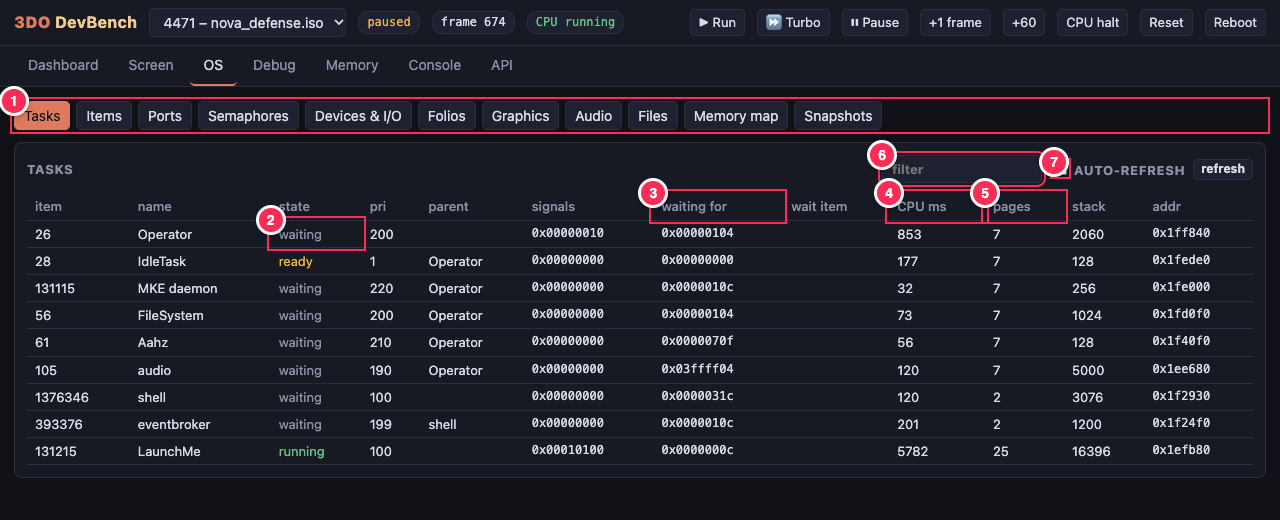
All of that is exposed three ways: the ./3do ctl command line (about 70 commands), a
browser DevBench with a REST API, and an MCP server with about 50 tools so Claude Code can
build, boot, press buttons, look at the screen, read logs, set breakpoints, and run gdb on its
own.
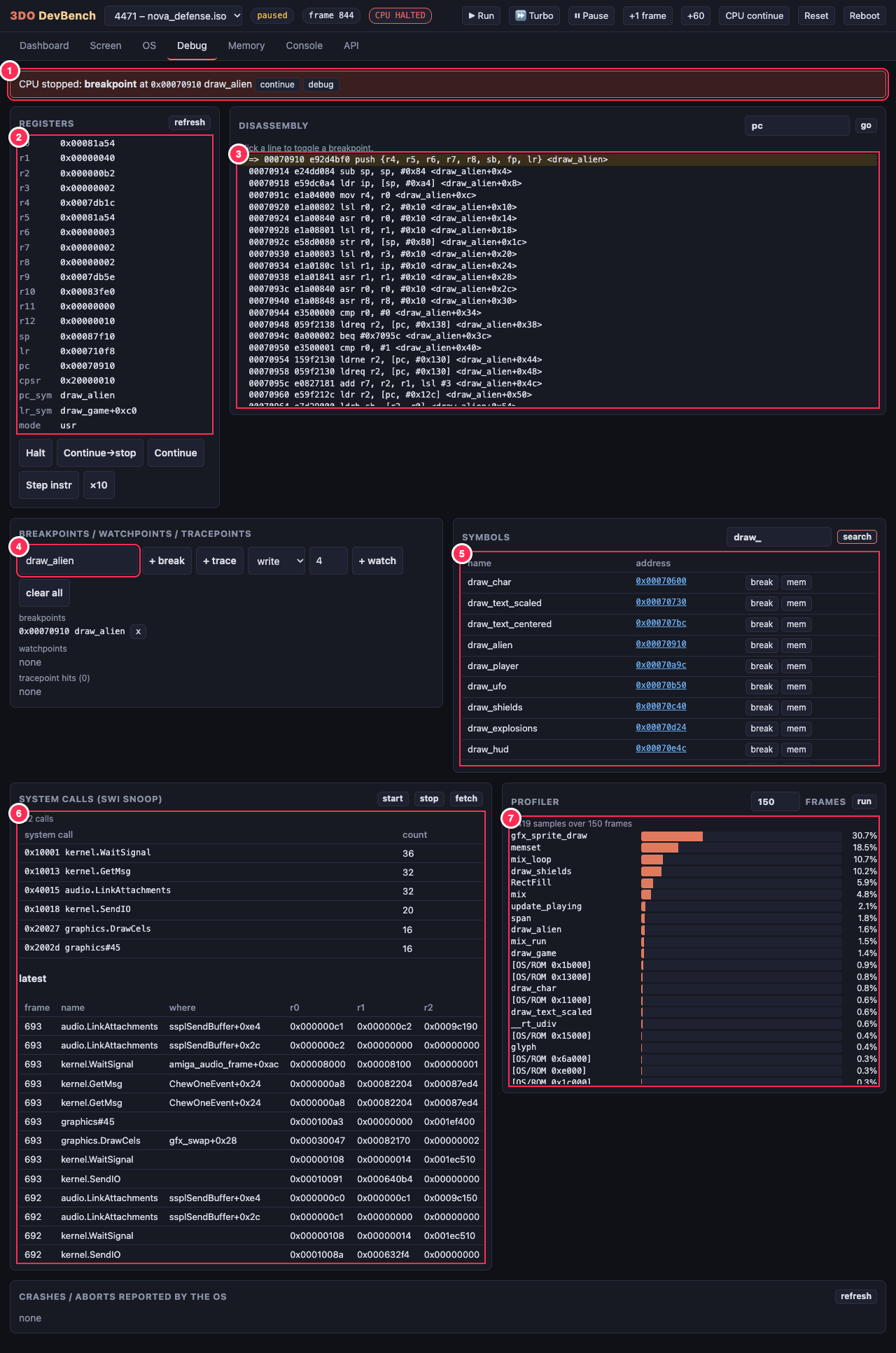
A walkthrough
Installing is one line — it checks prerequisites, clones the repo, fetches the toolchain, builds the emulator, runs the test suite, and opens the demo:
curl -fsSL https://raw.githubusercontent.com/geekychris/3do-dev/main/scripts/install.sh | bashFrom there, a new game is a template away:
./3do new mygame               # copy the template into projects/mygame
$EDITOR projects/mygame/src/main.c
./3do run mygame               # rebuild, boot, open a window (control :7330, gdb :2330)
./3do test mygame              # headless smoke test
./3do gdb mygame               # source-level debugging
While it runs, everything is scriptable over the control port:
./3do ctl press buttons=A
./3do ctl screenshot path=shot.png
./3do ctl break addr=update_plasma
./3do ctl watch addr=s_palette     # stop when a global changes
./3do ctl save_state name=before-boss
And gdb behaves like gdb:
(gdb) break main.c:396
(gdb) continue
Breakpoint 1, update_text (t_=1284) at src/main.c:396
(gdb) p *s_squares[0]
$1 = {ccb_Flags = 1063666704, ccb_NextPtr = 0x84670, ccb_SourcePtr = 0x88a44, ...}
The programs themselves are C89 for Norcroft: no FPU (16.16 fixed point and the operamath
folio), big-endian, and graphics as a linked list of cels drawn with one DrawCels() call per
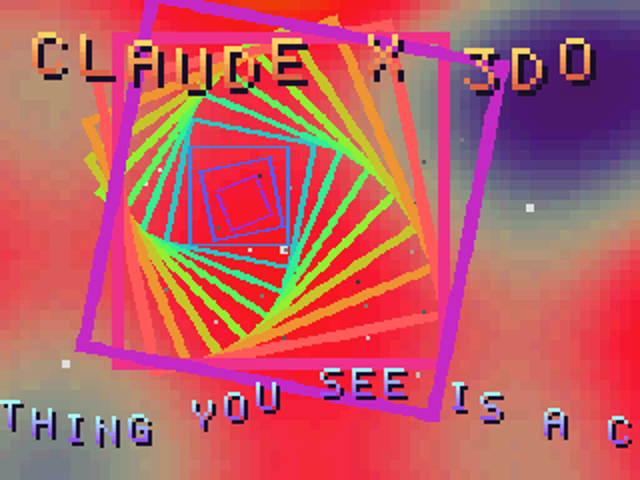
frame. The demo draws about 110 cels per frame at 60 fps alongside a 64×48 per-pixel software
plasma.
The hardest problems
Making gdb believe Norcroft. The DWARF was valid-ish but rejected in three silent ways, which
tdo.elffix repairs after linking:
-
armlink names every loadable section after the output file, so gdb relocated code but not data — and globals were read from, and written to, the wrong addresses. Fix: rename sections by their flags to
.text,.data,.bss. -
DW_AT_stmt_listusedDW_FORM_addrinstead of an offset form, so gdb ignored all line-number information. Fix: patch the abbreviation toDW_FORM_data4— same size, so nothing else moves. -
The
.debug_framecall-frame info used conventions gdb misreads, giving one-frame backtraces. Fix: hide it; gdb’s ARM prologue analyser unwinds this code correctly on its own.
Debug output that lies. The kernel writes debug text a byte at a time to a MADAM register,
which the harness captures. But kprintf() only formats its first three arguments
correctly: it’s a SWI, so arguments four and up land on the user stack, where the kernel never
looks. I spent a while doubting my own arithmetic before working that out. The kit’s
tdo_log() formats with vsprintf and passes a single string.
Cel engine details. Clear CCB_LAST on every cel except the last or the engine stops early;
HDX/HDY are 12.20 fixed point while the rest are 16.16; a pixel value of 0 is transparent, so
opaque black has to be 0x0001. All of these are now written down in the repo’s notes, verified
in the emulator.
Results
The demo was written, built, tested, and debugged entirely through the kit. Then it got ambitious: an Amiga compatibility layer — a Paula mixer streaming to the 3DO audio folio, a C ProTracker player, and fast paths for RectFill, polygon fills, and run-length sprites — let me port eighteen Amiga games, and three Unity games were rebuilt for the cel engine: Planet Chomp, Spectral Keep, and Rolling Steel. Each has its own disc, and all of them sit on an arcade disc behind a menu.
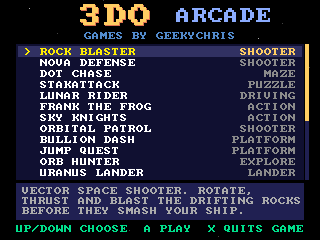
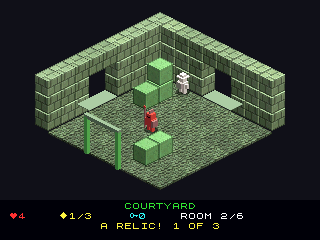
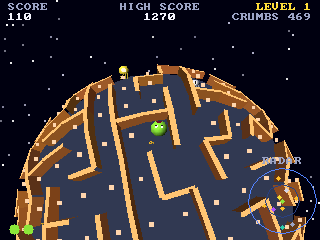
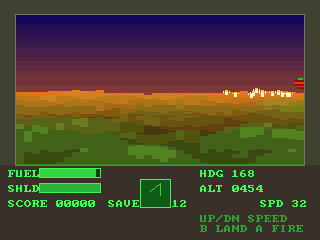
The repository’s games gallery measures each one: many run their game logic at the Amiga’s 50 steps a second, with drawing rates from about 9 fps for the most demanding to around 49 for the simplest.
Next steps
The kit is new — the first commits landed this month — and the obvious next steps are about speed and polish: more fast paths in the Amiga layer for the slower ports, and more of the hardware notes turned into tests. The bigger lesson is the one I keep relearning on retro platforms: the machine is rarely the hard part. The hard part is the loop around it, and once that loop is fast and scriptable, both people and agents get a lot braver.
The code, docs, and every game are at github.com/geekychris/3do-dev.