Chris Collins

Areas / Work

Developer tools

Tools, plugins, and utilities I have built for myself and others.

Tool ·

Container image layers

Open a docker save tar or an OCI image layout and see each layer with its Dockerfile instruction and size, the merged file tree with what every layer added, changed and deleted, wasted space and dive's efficiency score, the config, the platforms in the index, every digest checked — and the packages inside, handed to the SBOM viewer.

Developer toolsSoftware engineering

Tool ·

Documentation linter

Lint Markdown with the real markdownlint rules (MD001–MD060, your .markdownlint.json) and AsciiDoc with structure checks that match Asciidoctor's warnings, with quick fixes — plus a table formatter for Markdown, AsciiDoc, CSV and TSV.

Software engineeringDeveloper tools

Tool ·

EventBridge pattern tester

Test EventBridge event patterns against events and see why each field matches or not — exact values, prefix and suffix (with equals-ignore-case), every anything-but form, numeric ranges, exists, IP CIDR, wildcards, $or and array semantics, following the AWS content-filtering rules — plus input transformers (InputPathsMap and InputTemplate) and a library of sample events.

Software engineeringDeveloper tools

Tool ·

Firewall packet tracer (iptables and nftables)

Paste iptables-save or nft list ruleset output and a packet, and step it through the netfilter hooks in the kernel's order — every chain, every rule tested with the reason it matched or didn't, jumps, returns, policies, DNAT and MASQUERADE — to the final verdict; with Docker's and kube-proxy's chains explained.

Software engineeringDeveloper tools

Tool ·

GitHub Actions workflow explainer

Paste a GitHub Actions workflow: the job graph with a what-if-this-fails simulator, every matrix job after include/exclude, triggers with a branch/tag/path filter tester and next cron runs, a ${{ }} expression evaluator with an editable context, GITHUB_TOKEN permissions per job, concurrency groups, and actionlint's checks plus security checks.

Developer toolsSoftware engineering

Tool ·

Helm and Kustomize renderer

Render a Helm chart or a Kustomize overlay to plain YAML in the browser — with Helm's and Kustomize's own code compiled to WebAssembly — and see which values file or --set won each key, errors pointing at the template line, NOTES.txt, and what differs between two overlays.

Software engineeringDeveloper tools

Tool ·

JVM memory planner for containers

How a Java process fills a container's memory limit — heap, metaspace, code cache, thread stacks, direct buffers, GC structures and native memory — with the heap the JVM picks by itself on JDK 17, 21, 25 and 27, the flags that fit, OOMKilled versus OutOfMemoryError, and NMT output to fill it in.

Software engineeringDeveloper tools

Tool ·

Java GC log analyser

Read a JVM GC log — unified -Xlog:gc* for G1, ZGC (generational or not), Shenandoah, Parallel and Serial, or a JDK 8 PrintGCDetails log — and get a pause timeline, heap before and after, allocation and promotion rates, pause percentiles, throughput, full GCs and failures flagged, and tuning hints in plain words.

Software engineeringDeveloper tools

Tool ·

Java thread dump analyser

Paste jstack, jcmd Thread.print, kill -3 or Thread.dump_to_file (text or JSON, with virtual threads) output: threads grouped by state and identical stack, deadlocks and a lock graph, thread pools, hot frames, CPU per thread, and a comparison of dumps taken seconds apart to find stuck threads.

Software engineeringDeveloper tools

Tool ·

Kubernetes NetworkPolicy and Pod Security checker

Paste NetworkPolicies, pods and namespaces (or kubectl get -o yaml output) and ask whether one pod can reach another on a port, with the policies that allow it or the reason it's blocked; a colour-coded pod × pod matrix, a lint, a policy builder, and a Pod Security Standards checker that lists every failing field and its fix.

Software engineeringDeveloper tools

Tool ·

Kubernetes scheduling explainer

Paste your nodes and a pod or Deployment and see which nodes it can run on and why — every scheduler filter per node, the scores and weights that pick the winner, the FailedScheduling message, preemption victims, and N replicas placed one after another — checked against the real kube-scheduler v1.36.

Software engineeringDeveloper tools

Tool ·

Linux triage

Paste the output of uptime, dmesg, vmstat, mpstat, pidstat, iostat, free, sar, top, /proc/meminfo, /proc/pressure, ss and cgroup files — several at once, in any order — and get a reading in the style of Brendan Gregg's 60-second checklist and the USE method: what each column means, what is abnormal, what to run next. Plus exit codes and signals (137 OOM-kill vs SIGKILL, 143) for Docker and Kubernetes.

Developer toolsSoftware engineering

Tool ·

Log parser

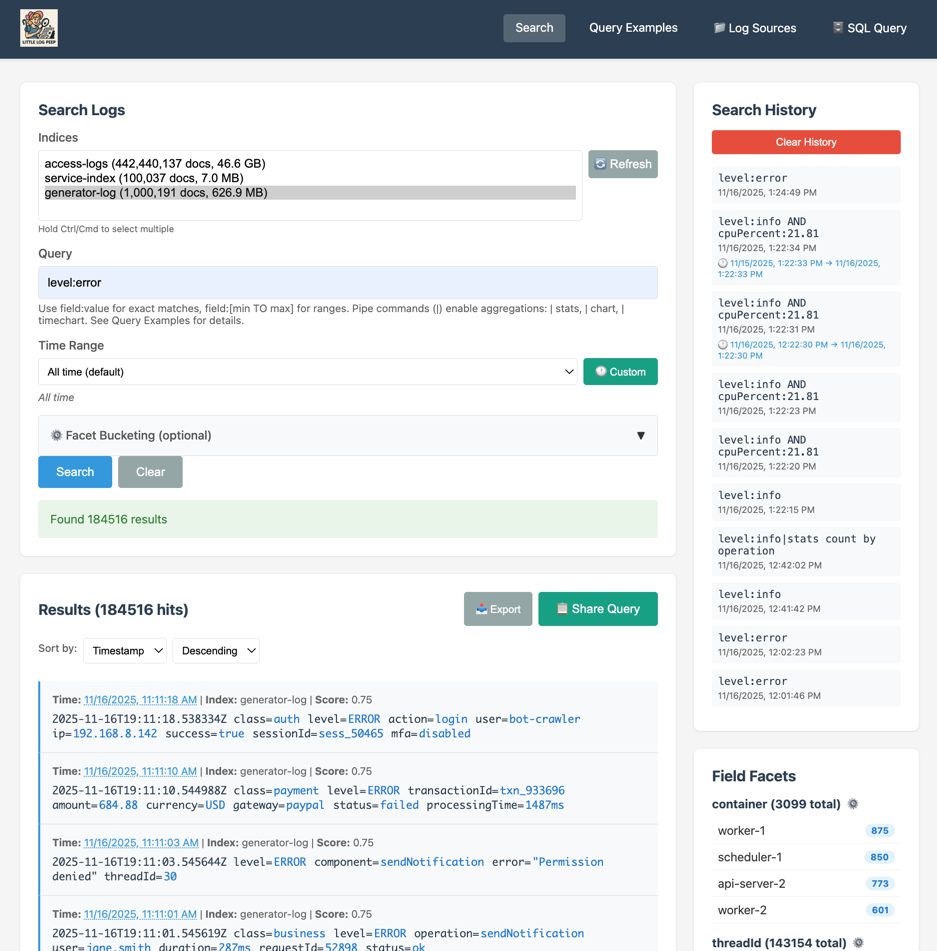
Paste or drop logs (large files are streamed) — nginx/Apache, JSON lines, logfmt, syslog RFC 3164/5424, journald, Java with multi-line stack traces, Go zap/slog, Kubernetes CRI, CloudWatch — or write a grok pattern with the standard Logstash library; get field statistics, a zoomable time histogram, filter expressions, message templates (Drain), CSV/JSONL export, and the table in DuckDB lab or the data wrangler.

Developer toolsSoftware engineering

Tool ·

Makefile explainer

Paste a GNU Makefile and a list of files with their times: see what make -n would run and why, in order, with the recipes expanded; a dependency graph where you can touch a file; every rule and variable explained; and lints for missing .PHONY, spaces instead of tabs, $VAR in recipes and recursive-make pitfalls.

Developer toolsSoftware engineering

Tool ·

Property lists and defaults

Open any property list — XML, binary (bplist00, every type including UIDs and dates), old-style OpenStep, `defaults read` output or JSON — edit it as a tree and get the plutil and defaults commands for each change, convert it byte-for-byte the way plutil does, take a binary plist apart, and browse a curated catalogue of defaults write tweaks with read and undo commands.

Developer toolsSoftware engineering

Tool ·

SBOM and vulnerability report viewer

Open a CycloneDX or SPDX SBOM, or a Trivy, Grype or OSV-Scanner report, and see the components by ecosystem with purls and licences (SPDX expressions parsed, copyleft flagged), the dependency graph, vulnerabilities by severity with fixed-in versions and "upgrade X to Y fixes N" suggestions — and what changed between two SBOMs.

Developer toolsSoftware engineering

Tool ·

Serverless sizing: Lambda, SQS, Kinesis, SNS and API Gateway

Size and price a serverless design — Lambda cost by memory, duration, requests and architecture (with the free tier, INIT billing and provisioned concurrency), concurrency from rate × duration against the account and scaling limits, cold-start factors, SQS batch and visibility-timeout checks with FIFO limits, Kinesis shards and on-demand against provisioned, SNS fan-out and API Gateway REST against HTTP — every price dated and sourced.

Software engineeringDeveloper tools

Tool ·

Shell prompt builder

Build a zsh PROMPT/RPROMPT and a bash PS1 from blocks — user, host, directory, git branch and state, exit status, time, venv — with a live preview in several terminal colour schemes; paste any prompt to see it expanded and explained escape by escape; and paste zprof or a timed xtrace log to find what makes zsh slow to start.

Developer toolsSoftware engineering

Tool ·

Step Functions workbench

Paste an Amazon States Language definition and see it drawn as a graph, checked for common mistakes, and run step by step with mocked Task results — every InputPath, Parameters, ResultSelector, ResultPath and OutputPath (or JSONata Arguments, Output and Assign) shown with the data it produced, intrinsic functions, variables, Retry with back-off, Catch, timeouts, Parallel and inline or distributed Map.

Software engineeringDeveloper tools

Tool ·

launchd jobs

Build a launchd job (LaunchAgent or LaunchDaemon) from a form, or paste one to have it explained and checked; turn crontab lines into StartCalendarInterval, see the next run times and what happens if the Mac sleeps through one, and get the launchctl bootstrap/bootout/enable/kickstart/print commands.

Developer toolsSoftware engineering

Tool ·

strace viewer

Paste strace output — with or without -f, -tt/-ttt/-r, -T, -y/-yy, unfinished/resumed pairs, signals, -c tables — or macOS dtruss output, and get a per-thread timeline, a summary that matches strace -c, the slowest calls, errors grouped (path probing, EAGAIN loops), files with bytes read and written, connections and DNS lookups decoded from the buffers, the process tree with argv, and hints.

Developer toolsSoftware engineering

Tool ·

tmux lab

Learn tmux by doing in a simulated tmux in the page — the real default keys, splits, layouts, zoom, windows, sessions, copy mode in vi or emacs keys, the command prompt, detach and attach — plus a .tmux.conf builder that explains every line, a live status-line preview, a layout-string decoder and encoder with the checksum, a searchable cheat sheet and how cmux compares.

Developer toolsSoftware engineering

Tool ·

Linux shell playground

A real Linux booted in the page (a small kernel and BusyBox in the v86 x86 emulator) with a terminal, sample logs, CSVs and a config tree in your home directory, and 26 exercises — text pipelines, find and xargs, redirection, permissions, processes and signals, environment variables, loops — that check your answer.

Developer toolsSoftware engineering

Tool ·

Shell command explainer

Paste a command line or a script and see it taken apart — pipes, redirections, && and ||, subshells, loops, quoting, variables, substitutions, globs and here-documents — with every option of 170 common commands explained, warnings for dangerous patterns such as rm -rf $DIR/ and curl | sh, and ShellCheck-style notes on common mistakes.

Developer toolsSoftware engineering

Tool ·

nginx and Caddy request router

Paste an nginx config or a Caddyfile and a request, and step through what the server does with it — which server block and location win and why, rewrites, try_files, if, alias vs root, the proxy_pass trailing-slash rules, add_header inheritance — ending in the file served, the upstream URL or the redirect. Plus a table of requests checked against expected outcomes.

Software engineeringDeveloper tools

Tool ·

Machine QR cards

Printable safety cards and posters for each machine in a makerspace — A4 and A5 posters, A6 cards four to a sheet, or small Niimbot labels — with ISO 7010-style signs for PPE, hazards and rules, allowed and banned materials, key settings, who to ask, and a QR code that opens the machine's page and induction.

MakingDeveloper tools

Tool ·

Machine inductions and sign-offs

Induct members on a makerspace's machines — a checklist the inductor ticks with them, a shuffled quiz with a pass mark, and a dated sign-off that expires when the machine says — with a register of who is signed off on what, expiring and expired sign-offs, CSV export, printable sign-off cards and member passports, a machine page for QR codes, and an editor for the space file.

MakingDeveloper tools

Tool ·

Tool library checkout

A lending desk for a makerspace's tool library — a catalogue with asset tags, check out by scanning the tool's QR code or typing its tag, due dates in the space's time zone, returns with a condition note, an overdue list, history per tool and per member, asset tags for the label maker and a QR sheet. Runs on one shared tablet; sync another device by file.

MakingDeveloper tools

Tool ·

ADB for Android and Fire TV

Android Debug Bridge in the browser — over WebUSB or the network (port 5555 through the gitwebsite app): device info, logcat, a shell, APK install, apps, files, screenshots and recordings, and a TV remote for Fire TV and Android TV.

ElectronicsDeveloper tools

Tool ·

Agent trace viewer

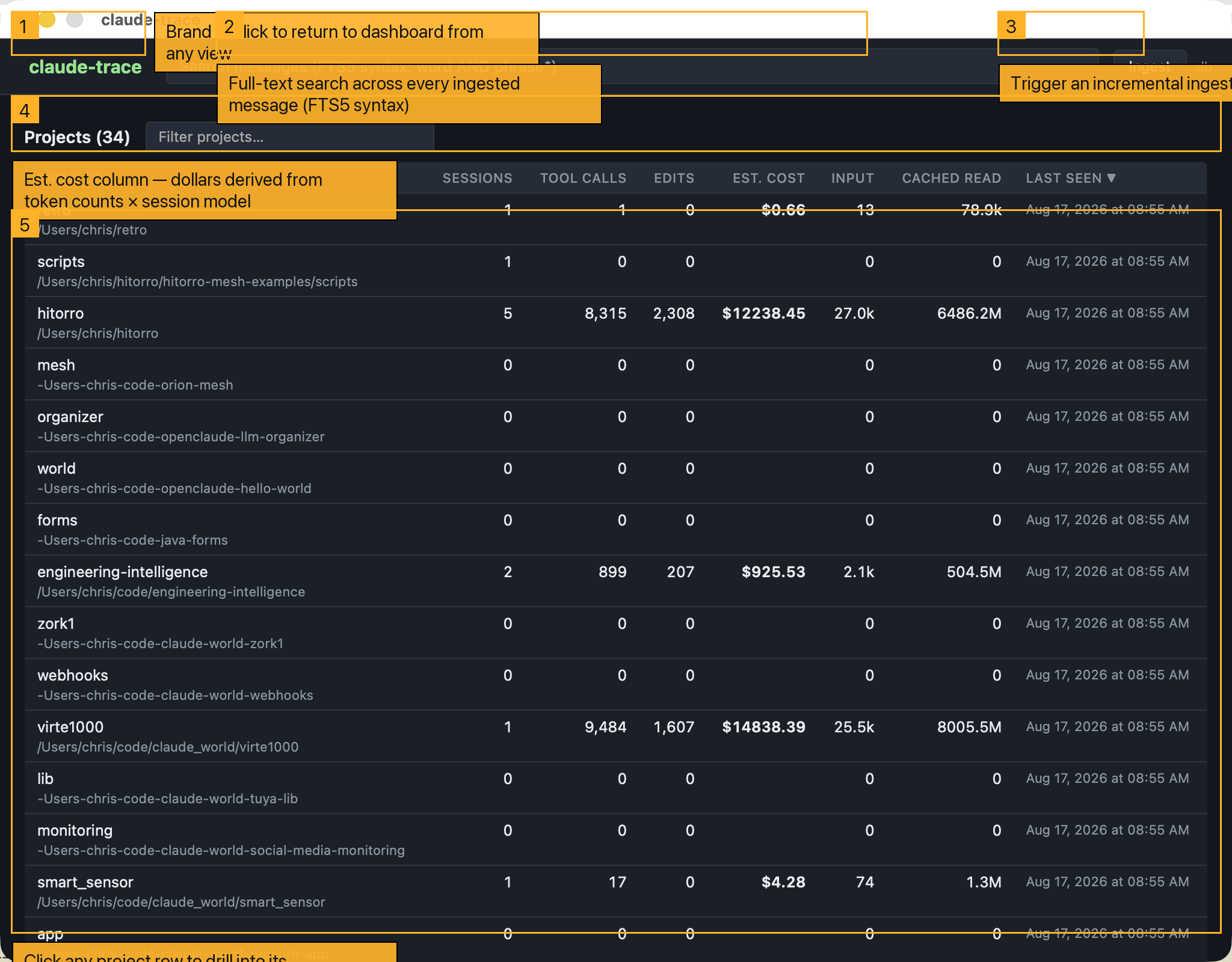
Open agent traces — Claude Messages API and OpenAI Chat Completions or Responses logs, OpenTelemetry GenAI spans, Claude Code session JSONL — and see every turn, model call and tool call on a timeline and in a tree, with latency, tokens split into cache reads and writes, cost per step, failed tool calls and retries, and full-text search; nothing leaves the browser.

Applied AIDeveloper tools

Tool ·

Data-lake browser

Browse and query object stores and HDFS from the browser — S3, MinIO, R2, B2, Wasabi, GCS, Azure Blob and WebHDFS/HttpFS: buckets and folders, uploads with resumable multipart, Range downloads, presigned URLs, Parquet/ORC/Avro schema and row-group statistics, DuckDB SQL over files, HDFS block locations, bucket CORS/policy/lifecycle generators, and the aws/mc/gcloud/az/hdfs command and curl for every action.

Data and event platformsDeveloper tools

Tool ·

Floor plan and building layout

Draw a building floor by floor — walls with clean joins, doors, windows, stairs, rooms with their areas, dimensions, labels and scale-true furniture — over an imported plan image you calibrate and trace by hand or with automatic wall detection, see it in 3D, and export SVG, PNG, DXF (a layer set per floor) or JSON, or print it to scale.

WoodworkingDeveloper tools

Tool ·

Server config builders

Build and explain nginx, Caddy, systemd and SSH configs — reverse proxies with Mozilla TLS settings, WebSockets and rate limits (with a limit_req simulation), static sites, hardened systemd services and timers with next run times and an exposure estimate, and ssh_config hosts and tunnels with a diagram — or paste your own and have each line explained and checked.

Software engineeringDeveloper tools

Tool ·

Smart-home toolkit

Home Assistant from the browser (entities and history, a service caller built from each service's schema, a template tester, the event bus), an automation YAML linter and explainer, Shelly, Tasmota and Hue controls, and a Matter setup-code decoder and encoder.

ElectronicsDeveloper tools

Tool ·

TV remotes: LG webOS, Roku, Samsung

A phone-sized remote for LG webOS (SSAP and its pointer socket), Roku (External Control Protocol) and Samsung Tizen TVs on your network — apps, inputs, volume, text entry and toasts — plus developer-mode notes for each.

ElectronicsDeveloper tools

Tool ·

Terraform plan visualiser

Open the JSON of a Terraform or OpenTofu plan and see what it will create, change, replace and destroy — with why each replacement is forced, warnings for destroyed data stores, sensitive values masked, the attribute diffs as terraform plan prints them, and the dependency graph from the configuration's references.

Software engineeringDeveloper tools

Tool ·

AWS architecture builder

Draw an AWS architecture on an interactive diagram — VPCs, subnets and 40 services, from web tiers to data lakes, warehouses, stream processing and search — configure each service, see a rough monthly cost, and download a TypeScript AWS CDK app that synthesises.

Software engineeringDeveloper tools

Tool ·

Compose visualiser

Paste a docker-compose.yml and see its services, networks, volumes, ports and depends_on as a diagram, the start-up order, the effective config after ${VAR} interpolation and profiles, and a kompose-style Kubernetes translation.

Developer toolsSoftware engineering

Tool ·

Container dashboard

A read-only dashboard for your own Docker and Kubernetes through a small local relay: containers, images, volumes and networks with live stats and logs; namespaces, workloads with rollout status, pods, services and endpoints, nodes, events, YAML, and a topology diagram — with every request copyable as curl, docker or kubectl.

Developer toolsSoftware engineering

Tool ·

GCP architecture builder

Draw a Google Cloud architecture on an interactive diagram — a project, its region and VPC network, and 37 mainstream services, including a big-data platform (warehouse, batch and stream processing) and a search and caching service tier — configure each service, see a rough monthly cost, and download Terraform that passes terraform validate.

Software engineeringDeveloper tools

Tool ·

Git client

A git client in the browser: open a local repository (read-only unless you switch on write mode), see the commit graph, diffs, blame, file history, status and stashes; browse GitHub and GitLab repositories, pull requests and issues; clone over HTTPS through a relay you run.

Developer toolsSoftware engineering

Tool ·

Git, visualised

Learn git by doing: a terminal that runs real git commands against a faithful in-browser git (real SHA-1 object ids), with an animated commit graph, the three trees, the object database, a 34-lesson course with automatic goal checks, and disaster-recovery scenarios.

Developer toolsSoftware engineering

Tool ·

How containers work, simulated

An animated, step-by-step Linux host running Docker in your browser: docker run through dockerd, containerd and runc to clone(); namespaces, cgroups and the OOM killer; overlayfs copy-up and whiteouts; the build cache; pulling by digest from a registry; the bridge, veths, DNS and NAT; volumes; and the capabilities, seccomp and user namespaces that keep a container in — with a terminal that drives the same diagram.

Data and event platformsSoftware engineeringDeveloper tools

Tool ·

Kubernetes manifest builder and explainer

Build Kubernetes manifests from forms — Deployments to NetworkPolicies — with live YAML, checks across the whole bundle, kubectl-explain docs for every field, a CPU and memory unit converter with the QoS class your requests and limits produce, probe timelines and a CronJob schedule explainer.

Software engineeringDeveloper tools

Tool ·

Compass and level

Your phone as a compass — magnetic or true north, with the declination worked out for where you are by the World Magnetic Model — and a spirit level: a bullseye for flat surfaces, a tube for edges, two-sided calibration, a target angle that beeps, and the slope in degrees, percent, inches per foot and mm per metre.

Developer toolsWoodworking

Tool ·

Data wrangler

Clean and reshape tables with a recipe of steps — trim, retype, split, cluster near-duplicates, join, pivot, group — preview every step, then replay the recipe on new files or export it as SQL or pandas. DuckDB takes over for millions of rows.

Developer tools

Tool ·

Google Docs connector

An experiment in connecting browser tools to Google Docs — sign in with Google, pick or create a document, read it, and append notes from a scratchpad (at the end, under a heading, or into a section a tool keeps up to date). The app can only see documents you pick or create here.

Developer tools

Tool ·

Identify plants, birds and insects

Point your camera (or open a photo) at a plant, bird or insect and get the five most likely species — recognised on your device by Google's AIY Vision classifiers (2,101 plants, 964 birds, 1,021 insects), or rank your own labels with OpenAI's CLIP. Pictures never leave the page.

Developer tools

Tool ·

Tab sets

Turn the tabs open in Chrome into a shareable link — drag tabs or bookmarks in, paste them, or load Chrome's bookmarks export, no extension needed — then edit titles, notes, a group name and colour, and re-share or open them.

Developer tools

Tool ·

Audio loudness meter

Measure an audio or video file's loudness in your browser — integrated, short-term and momentary LUFS (ITU-R BS.1770 / EBU R128), loudness range, true peak, sample peak, RMS, DC offset and clipping — compare it with YouTube, Spotify, Apple, podcast and broadcast targets, and export a normalised WAV.

Developer tools

Tool ·

Dictation scratchpad (speech to text)

Dictate into notes kept in your browser. Speech is recognised locally with OpenAI's Whisper running in the page — the audio never leaves your device — or with the browser's own speech recognition, with live words as you speak.

Developer tools

Tool ·

Text to speech

Read text or Markdown aloud on your own device — with your system's voices (word-by-word highlighting, rate, pitch, volume) or Kokoro, a neural voice model that runs in the browser — and download the speech as a WAV file.

Developer tools

Tool ·

YouTube creator tools

Grab a video's thumbnails and check your own at the sizes YouTube shows; build and validate chapters; make share links and privacy-enhanced embeds; count title, description, and tag limits; convert and fix SRT, WebVTT, and SBV captions and clean transcripts; time a script and run a teleprompter; and look up upload bitrates.

Developer tools

Article ·

gitwebsite is now open source

The engine behind this site — a Rust static-site generator with a CLI, REST API, MCP server, and desktop app — is now on GitHub under the MIT licence.

Developer tools

Tool ·

ASCII art

Turn images into ASCII, colour ANSI, or high-resolution Braille text art, and render FIGlet text banners in 30 fonts, ready to paste into terminals, READMEs, and source comments.

Developer toolsSoftware engineering

Tool ·

CSV viewer

Open CSV or TSV of any size in a fast scrolling table — sort, filter per column, search, column statistics, computed columns, and export to CSV, JSON, or Markdown.

Developer tools

Tool ·

Code beautifier and minifier

Beautify or minify JavaScript, TypeScript, JSON, CSS/SCSS/LESS, HTML, and XML, with indentation, wrapping, and brace-style options and before/after sizes.

Developer tools

Tool ·

Cron expression tool

Explain, validate, and build cron expressions — Unix and Quartz/Spring syntax with L, W, # and macros — and see the next run times in any time zone.

Developer tools

Tool ·

Data converter

Convert between JSON, YAML, CSV/TSV, XML, TOML, and query strings, and generate TypeScript, JSON Schema, Go, Rust, and Python types from JSON.

Developer tools

Tool ·

Git helper

Searchable "how do I…" git recipes with safety notes, a .gitignore generator with a path tester, a Conventional Commits builder and linter, and .gitattributes and branch-name generators.

Developer toolsSoftware engineering

Tool ·

HTTP reference

Searchable HTTP status codes, headers, and methods; a REST API design guide; a MIME type table; a CORS cheat sheet; and a Cache-Control explainer.

Developer tools

Tool ·

JSON workbench

Validate, format, minify, sort, and repair JSON; browse and edit it as a tree; query with JSONPath; transform with JavaScript; and diff two documents.

Developer tools

Tool ·

Media toolbox (ffmpeg)

ffmpeg compiled to WebAssembly, in your browser — convert, trim, crop, resize, rotate, re-time and watermark video; make GIFs and animated WebP; extract audio; split video into frames or build video from images; join clips; or run any ffmpeg command.

MakingPhotographyDeveloper tools

Tool ·

OCR: text from images and PDFs

Read text from photos, screenshots, scans and PDFs with Tesseract compiled to WebAssembly — clean up the image (threshold, deskew, upscale), pick a region, see every word's confidence, and export text, hOCR, TSV or JSON.

Developer toolsPhotography

Tool ·

OpenAPI explorer

Load any OpenAPI 3 or Swagger 2 description by URL, file, or paste; browse operations and schemas, fill in generated forms, send live requests, and check responses against the declared schemas.

Software engineeringDeveloper tools

Tool ·

QR and barcode tool

Make QR codes for links, Wi-Fi, contacts, email, SMS, phone numbers, and locations — with colours, logos, PNG and SVG — and read QR codes and barcodes from images or your camera.

Developer tools

Tool ·

SQL formatter

Format SQL for 18 dialects — PostgreSQL, MySQL, SQLite, T-SQL, BigQuery, Snowflake, Spark and more — with keyword case, indent style, and minify.

Developer tools

Tool ·

Time converter

Convert epoch seconds, milliseconds, microseconds, and nanoseconds to and from ISO 8601, RFC 2822, and other formats in any time zone, with a world clock and date arithmetic.

Developer tools

Tool ·

Unix permissions calculator

Convert between the permission checkboxes, octal (755), and symbolic (rwxr-xr-x) modes — with setuid, setgid, sticky, umask, ls -l parsing, and ready-to-run chmod commands.

Developer tools

Project ·

Chief

A multi-project Claude Code orchestrator for macOS: it tracks the backlog of every project I work in and hands the next task to the right Claude session.

Applied AIDeveloper tools

Project ·

Mac Transformer

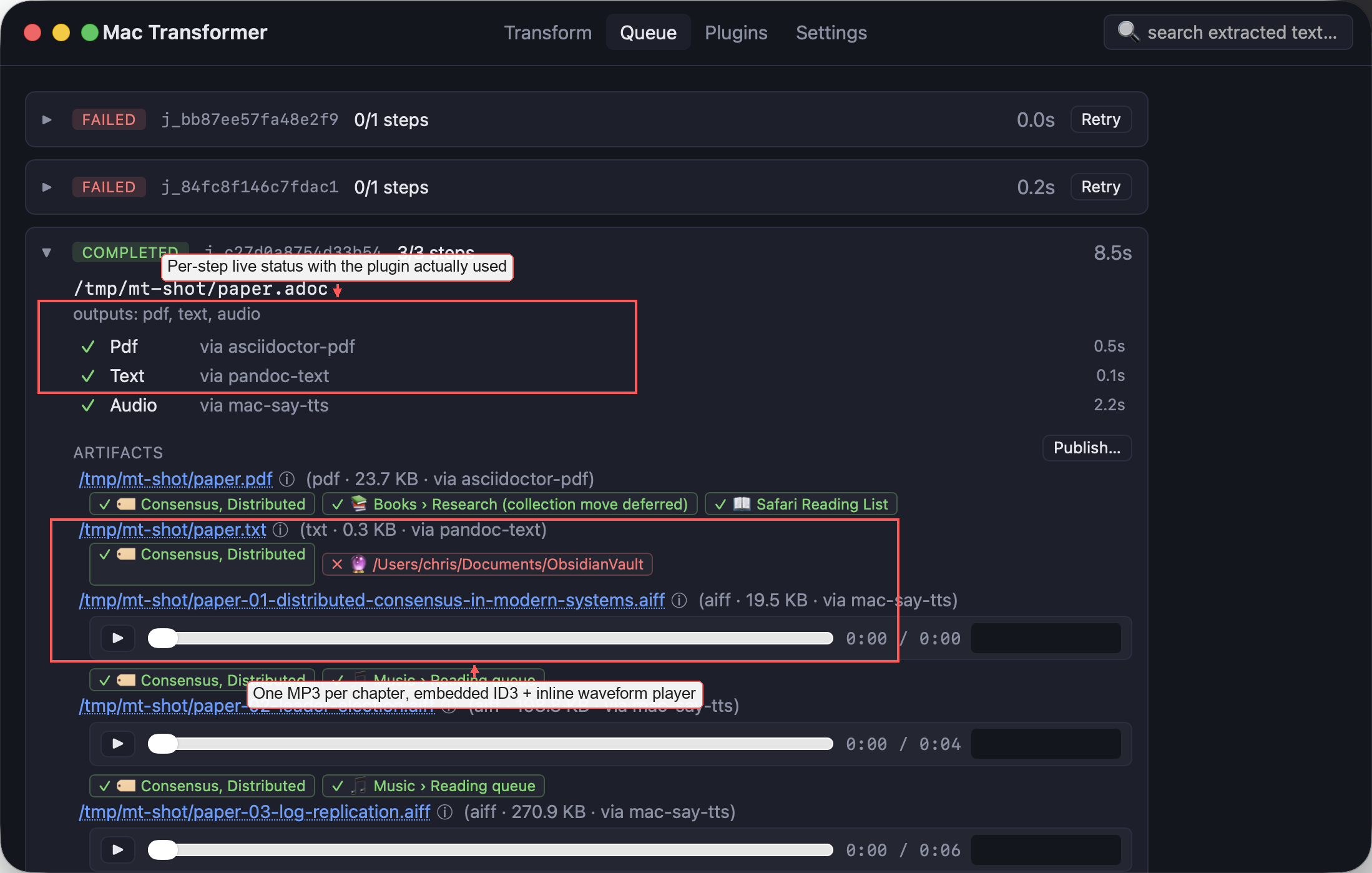
A macOS menu-bar app that turns documents into PDF, plain text, spoken audio, and AI summaries through a pluggable pipeline — and can publish the results to Books, Music, Reading List, Obsidian, or Notion.

Developer toolsApplied AI

Project ·

Amiga DevBench (amiga_mcp)

A cross-development environment that connects a modern machine to an emulated or real Amiga over serial — live debugging, memory inspection, remote execution, and MCP tools so Claude Code can build and drive Amiga software.

AmigaDeveloper toolsApplied AI